One tap. Everyone's screen is off.
Updated 2026-09-12
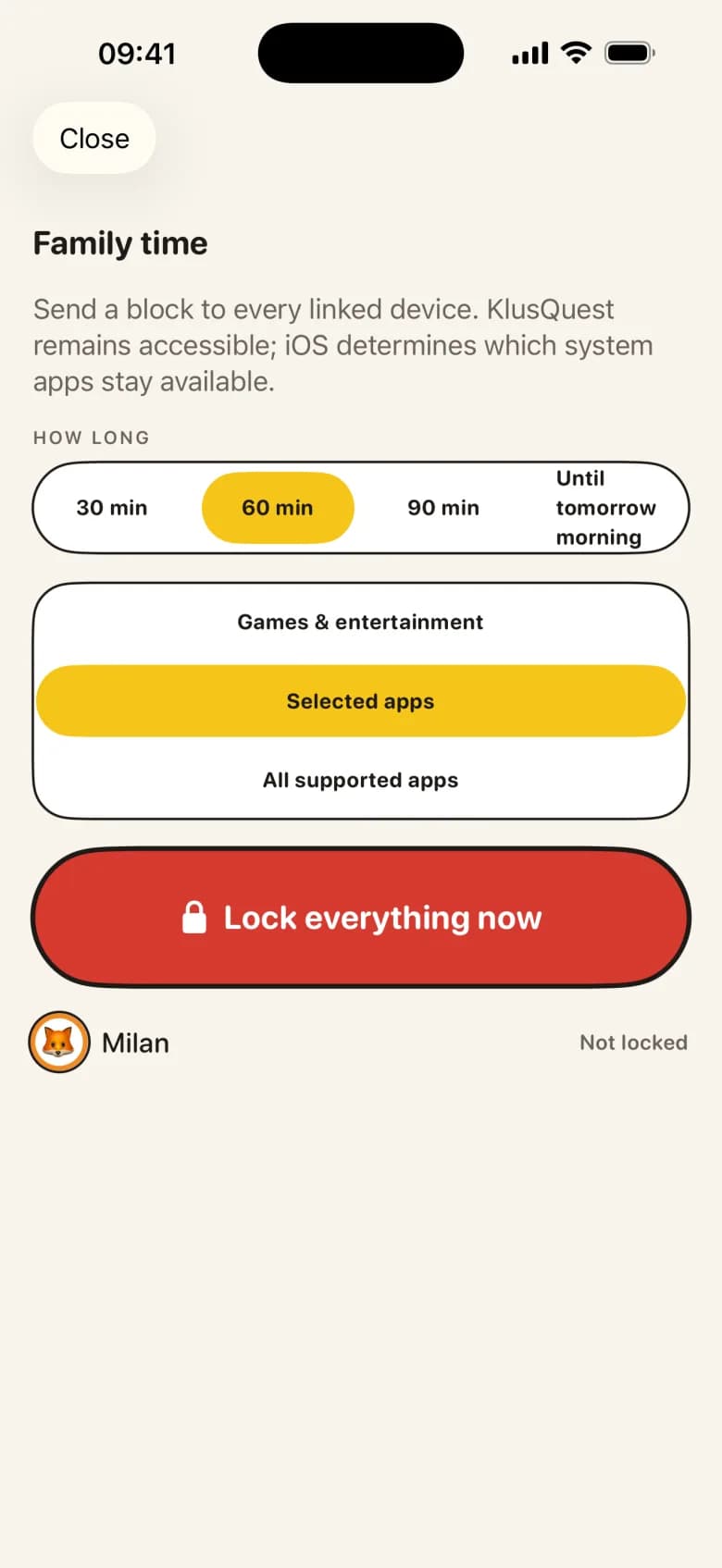
Family time is one tap on your phone that locks the apps on every paired device in the family for 30, 60 or 90 minutes, or until you lift it. Dinner, a car ride, a board game, grandparents at the door: no negotiation, no collecting phones in a basket.
It is the primary red button in KlusQuest, and it is meant to be used often. Your child's earned minutes are not touched; the apps simply take a break and come back when the time is up.
One subscription for the whole family.
How it works
- 1
Tap family time on your home screen
The button sits at the top of your parent home screen, next to the child cards. You do not need to find the child's phone or know where they are in the house.
- 2
Pick a length
30, 60 or 90 minutes cover dinner, a film together or an afternoon out. "Until I lift it" is for the evening that has no fixed end. A lock that is never lifted ends by itself the next morning at the latest.
- 3
Watch it arrive
Your phone shows the lock go out to each paired device: sent, delivered, applied. With several children you see how many devices are locked out of how many.
- 4
Lift it early if you like
A big Lift button replaces the timer while family time is on. Dinner finished early? One tap gives the apps back. Otherwise the lock ends on its own at the time you chose.
What happens on your child's phone
The apps you chose during setup get Apple's shield once the lock is delivered, with a message that names the reason: family time, and the apps will open again soon. Tapping a locked app shows until when, or that it stays locked until a parent opens it.
A running screen-time session pauses and the remaining minutes wait in the wallet. Coins earned before the lock are still there afterwards. KlusQuest itself stays reachable, so a task can still be handed in; which of Apple's own system apps remain available during the lock is decided by iOS.
Family time is applied on the child's device through Apple Screen Time, so it holds even if the child closes KlusQuest. If a device is offline when you tap, the lock lands the moment it reconnects, and your phone tells you which device is still waiting.
Family time versus the dinner window
The dinner preset in locked hours repeats every day at the same time and runs on the child's phone by itself. Family time is the opposite: unplanned, started by you, and gone when you say so. Parents can use both: the dinner window for the routine, family time for Sunday lunch at grandma's, the drive to the coast and the evening a friend is over.
What is deliberately not there
- No penalty attached — Family time is a pause, not a punishment. Coins, free minutes and bought sessions all survive it untouched.
- No buy-out on the shield — The child's shield during family time has no "start screen time" button. The pause ends when the timer or a parent says so.
- No silent lock — Your child always sees why the apps are locked and, where there is a fixed end, until when. A lock without a reason teaches nothing.
What you need
- KlusQuest on your phone and on each child's own iPhone or iPad — Family time goes out from the parent's phone and is applied on the child's device. iOS 17.4 or later on both.
- Screen Time access granted on the child's device — Granted once during setup by a parent holding the phone. Without it, KlusQuest runs in voucher mode and family time is an agreement rather than a lock.
- A connection to deliver the tap — Offline devices catch up when they reconnect.
Questions parents ask about family time
Does family time lock all my children at once?
Yes. One tap goes to every paired device in the family, and your phone shows how many of them have applied it. You do not have to lock each child separately.
Can my child unlock it?
No. The shield during family time has no buy-out button and coins do not apply. Only a parent lifts it early, and otherwise it ends at the length you chose or the next morning at the latest.
What if my child's phone is offline when I tap?
The lock is queued and lands the moment the device reconnects. Your phone shows which device is still waiting for delivery, so you know rather than guess.
Does family time cost my child anything?
Nothing. Coins stay, free minutes stay, and a paused session keeps its remaining minutes. Family time is about the table, not about the ledger.
See the App Store for the current purchase options for your region.