Coming soon to the App Store
They earn screen time with chores — and the fighting stops.
Chores earn playtime. KlusQuest unlocks that time and locks it again all by itself, and you approve with one tap. Free for one child, nothing held back.
- Chores earn playtime
- Approve with one tap
- Free for one child
Coming soon to the App Store


One clear deal, instead of the daily fight
Four kinds of reward
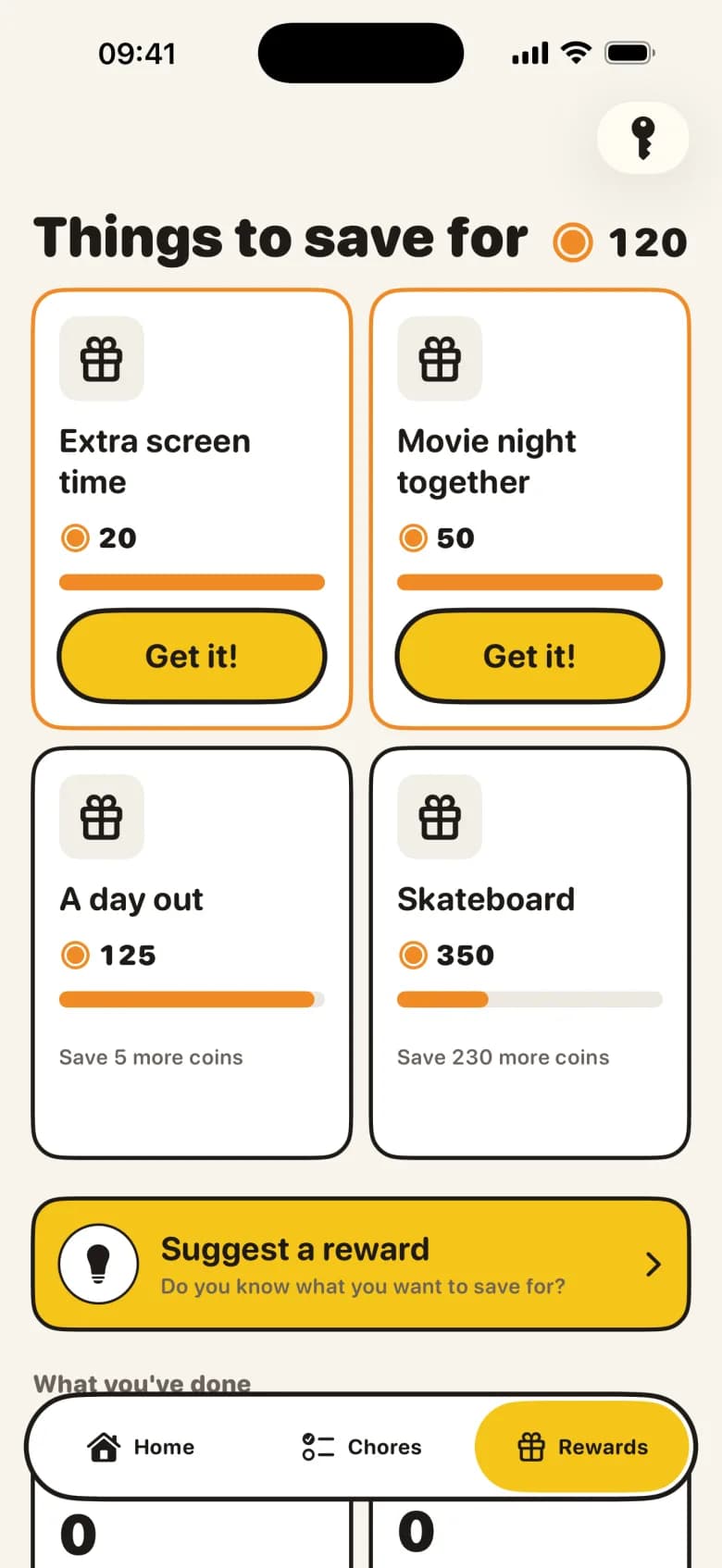
Everyday tasks earn points, because they are simply part of family life. Extra jobs earn pocket money towards a savings goal. Healthy missions earn screen time in the apps you choose. And real-life promises — a film together, an ice cream — land in their own pot.
Screen time that runs itself
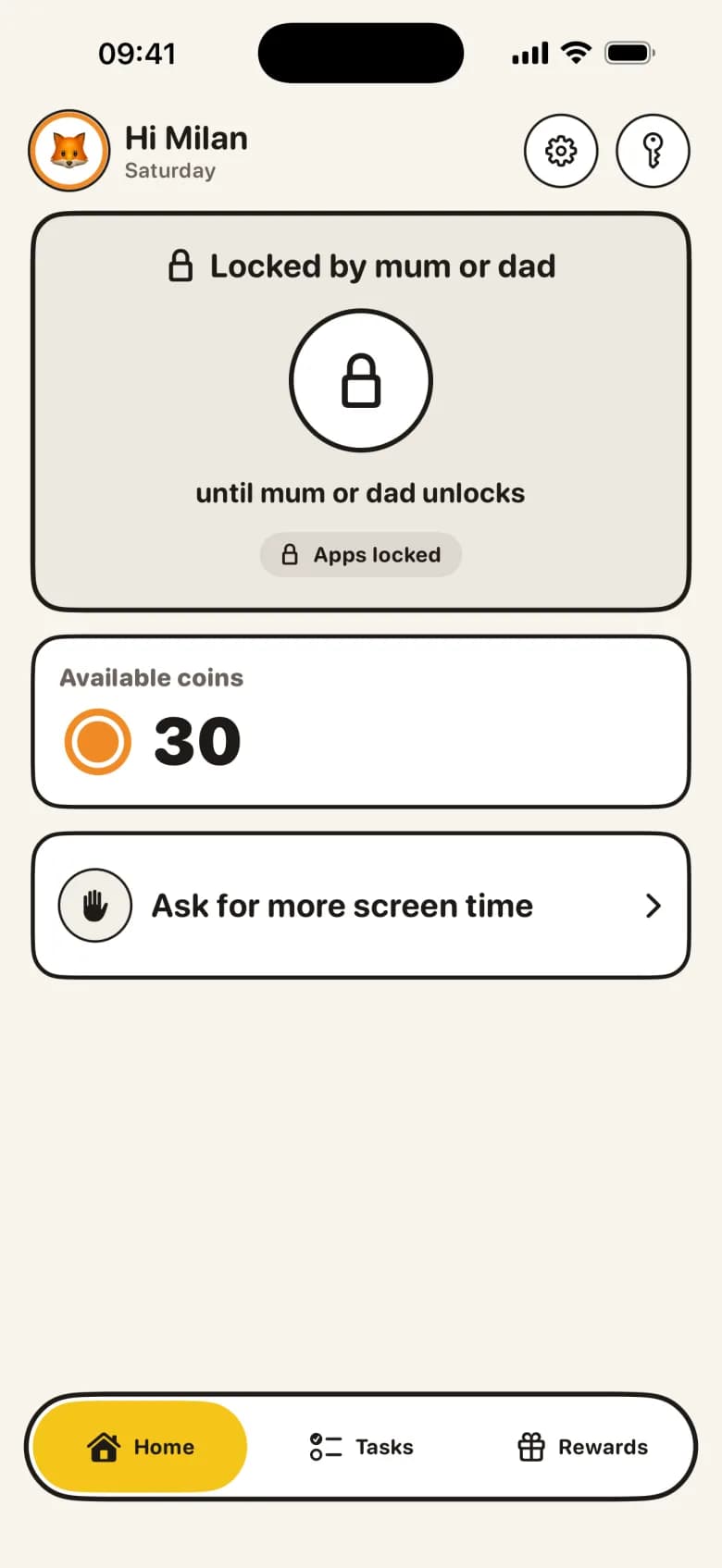
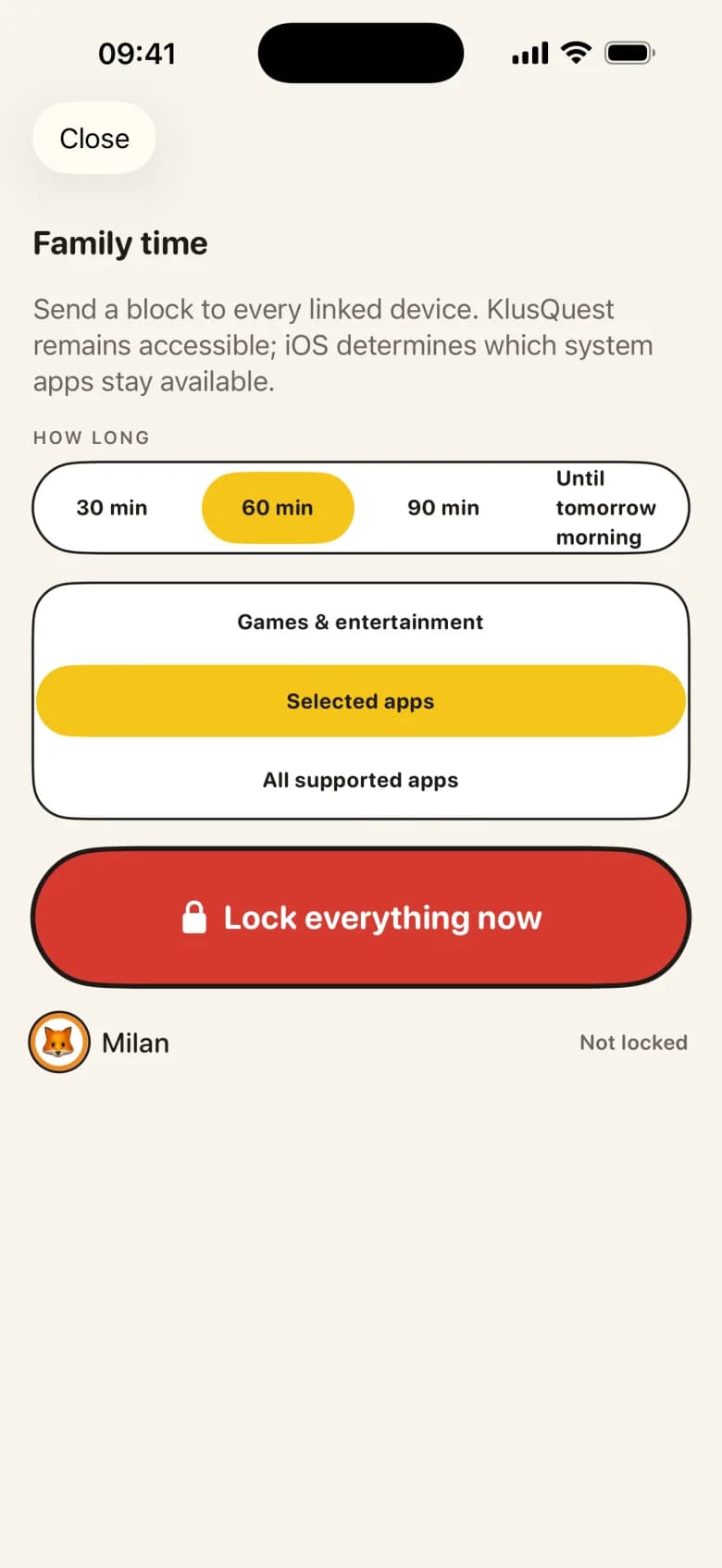
Earned minutes unlock the apps through Apple Screen Time, and lock them again when the time is up. The app is the one saying stop, not you. No Screen Time on your devices? Everything keeps working as a voucher you manage yourself.
You approve with one tap
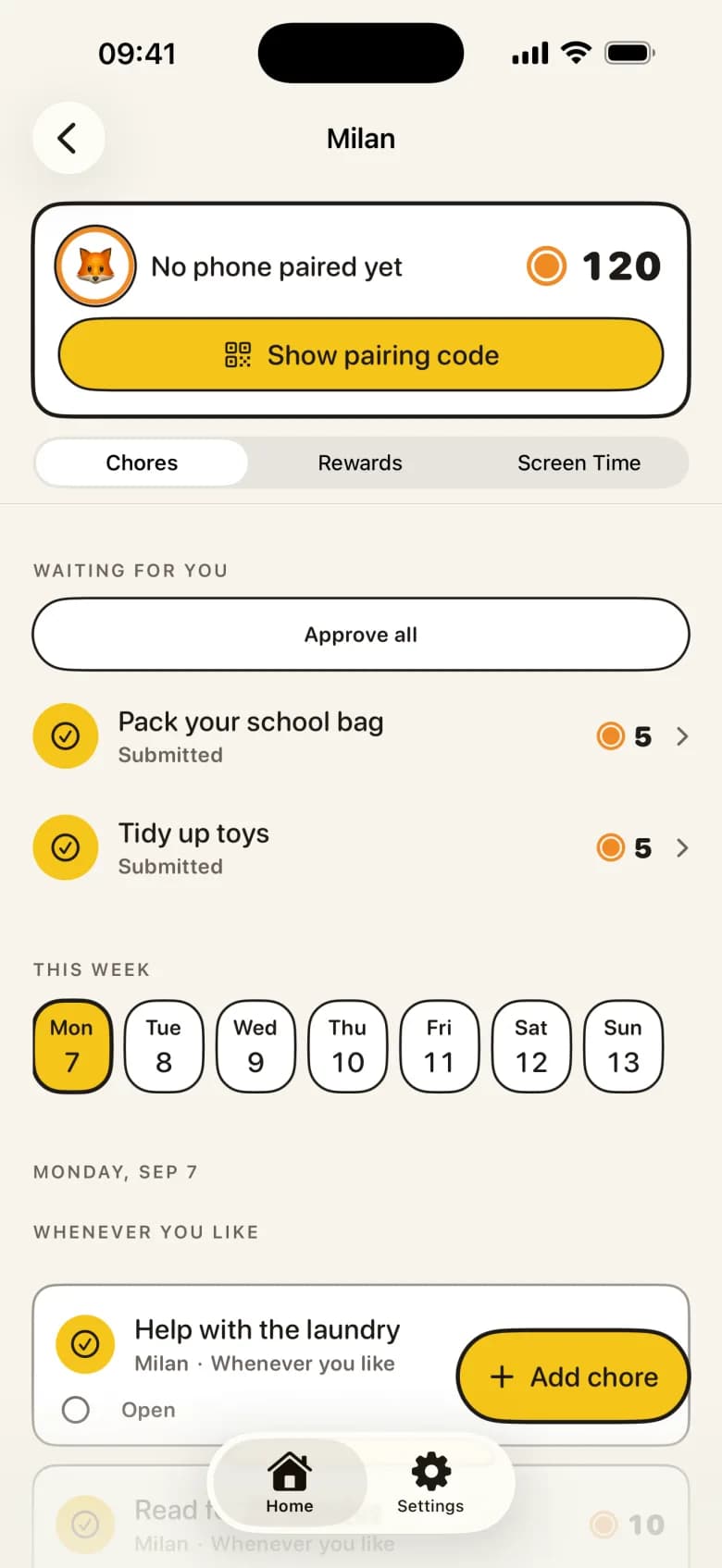
Your child ticks off a mission — with a photo as proof, if you like. You approve it, or send it back with a tip. The reward lands in the right pot straight away, and a notification reaches your child's device.
A room they build themselves
Every approval grows the room: a buddy, decorations, new levels. No ads, no loot boxes, and never a punishment for a missed day — the only thing that happens on a bad day is nothing.
How it works
- 1
Set the missions
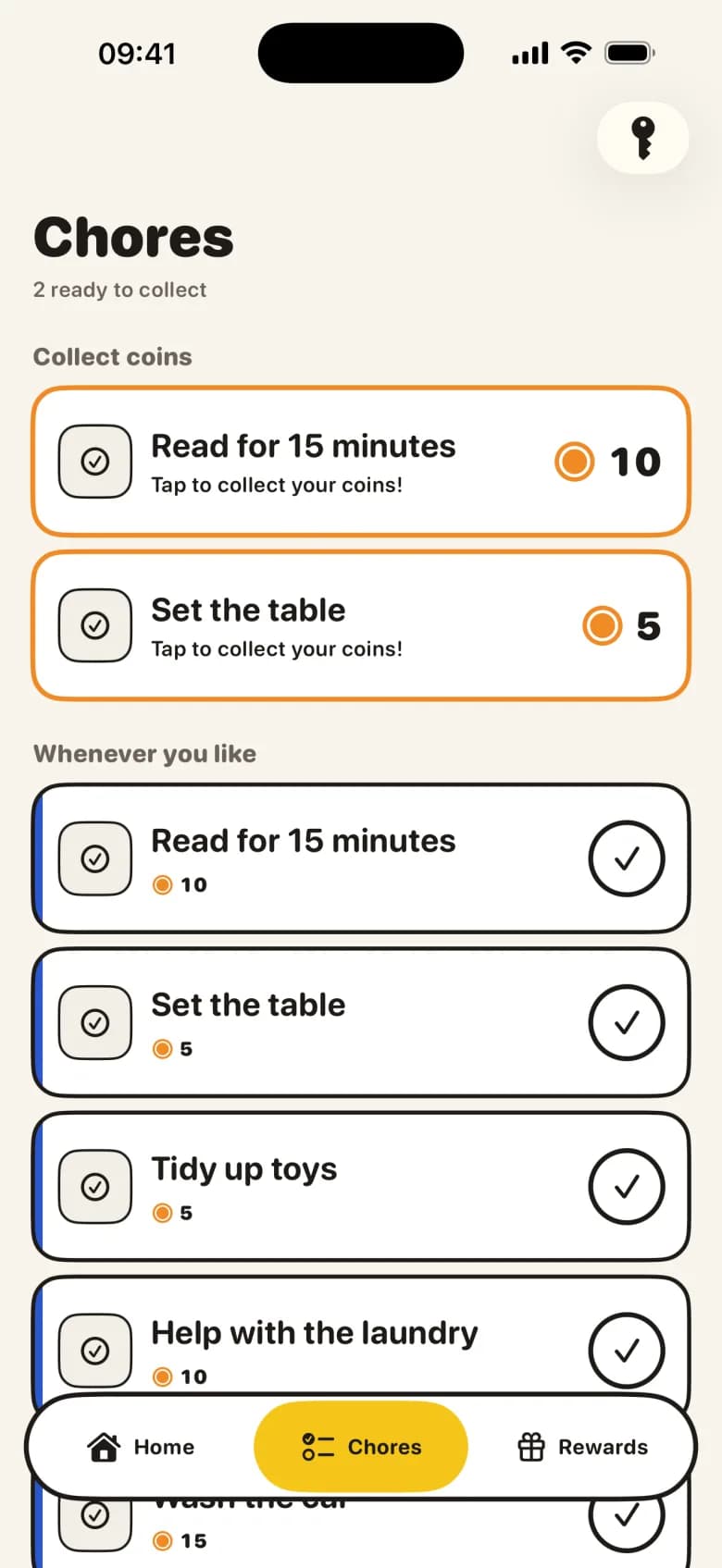
Add a few chores and choose what each one earns: points, pocket money, play minutes, or a promise in real life.
- 2
Your child ticks them off
They see a short mission board on their own screen and mark a chore done — with a photo as proof, if you like.
- 3
You approve with one tap
The reward lands in the right pot, the room grows, and earned play minutes unlock by themselves.
Fair and safe, by design
No ads, no loot boxes
Nothing is ever sold to your child inside the app.
Data stays in the family
Anonymous sign-in, no email or real name for your child, family data stored in the EU.
No bank linking
Pocket money is bookkeeping. Paying out stays an agreement between you and your child.
Guides
Let them earn screen time instead of taking it away
Instead of taking screen time away, let kids earn it with chores. How a base floor plus earned minutes works, and how the unlock and re-lock run on iOS.
Should you pay kids for chores? What the research actually supports
Not for everyday chores; yes for extra jobs. The overjustification research, the hybrid model experts recommend, and how to run it at home.
How much allowance by age — what the published figures actually say
Greenlight’s 2025 data: $6.18 a week at five, $21.47 at seventeen. Wells Fargo’s 2025 survey says $37. Both figures, what they measure, and how to run it.
A chore chart that fits the child: what to expect at 5, 8, 11 and 14
Age-appropriate chores from 4 to 18, the chores that fit each band, how to hand one over so you stop owning the reminder, and when paper beats an app.
Why the sticker chart stops working after three weeks — and what to put in its place
Charts fade after two or three weeks, and the usual repair — a bigger reward — is what kills them. Build on variety of reward type instead of size.
What Apple Screen Time can and cannot do — an honest guide for parents
Where Screen Time really lives on iPhone and iPad, what iOS 15 opened up to other apps, and the things no third-party app can do — limitations included.
Free for one child, nothing held back
KlusQuest Pro adds more children and photo proof.
Weekly — €1.49
Week by week. No free trial on this plan.
Monthly — €2.99
7-day free trial. Cancel anytime.
Best value
Yearly — €24.99
7-day free trial. Best value once it sticks.
Lifetime — €49.99
Pay once, keep it forever.
Prices are shown in the App Store in your local currency. Subscriptions are billed by Apple and can be cancelled anytime in your App Store settings.
One clear deal, starting tonight
KlusQuest is for families with children aged 7 to 18, on iPhone and iPad.
Coming soon to the App Store