Chore rewards without the nagging: screen time, or a real-life promise
Written by the KlusQuest team · Checked on
In KlusQuest an approved chore earns coins, and your child decides what to spend them on: screen time in the apps you chose, or a real-life promise such as a movie night together, an ice cream or a day out. You keep the promise yourself; the app keeps track of what was promised.
There is no penalty for a missed day. An undone chore expires and nothing is taken away, so rewards stay something your child wants rather than a nightly negotiation.
Chores first, then screen time. You set the missions, approve with one tap, and the app says stop.
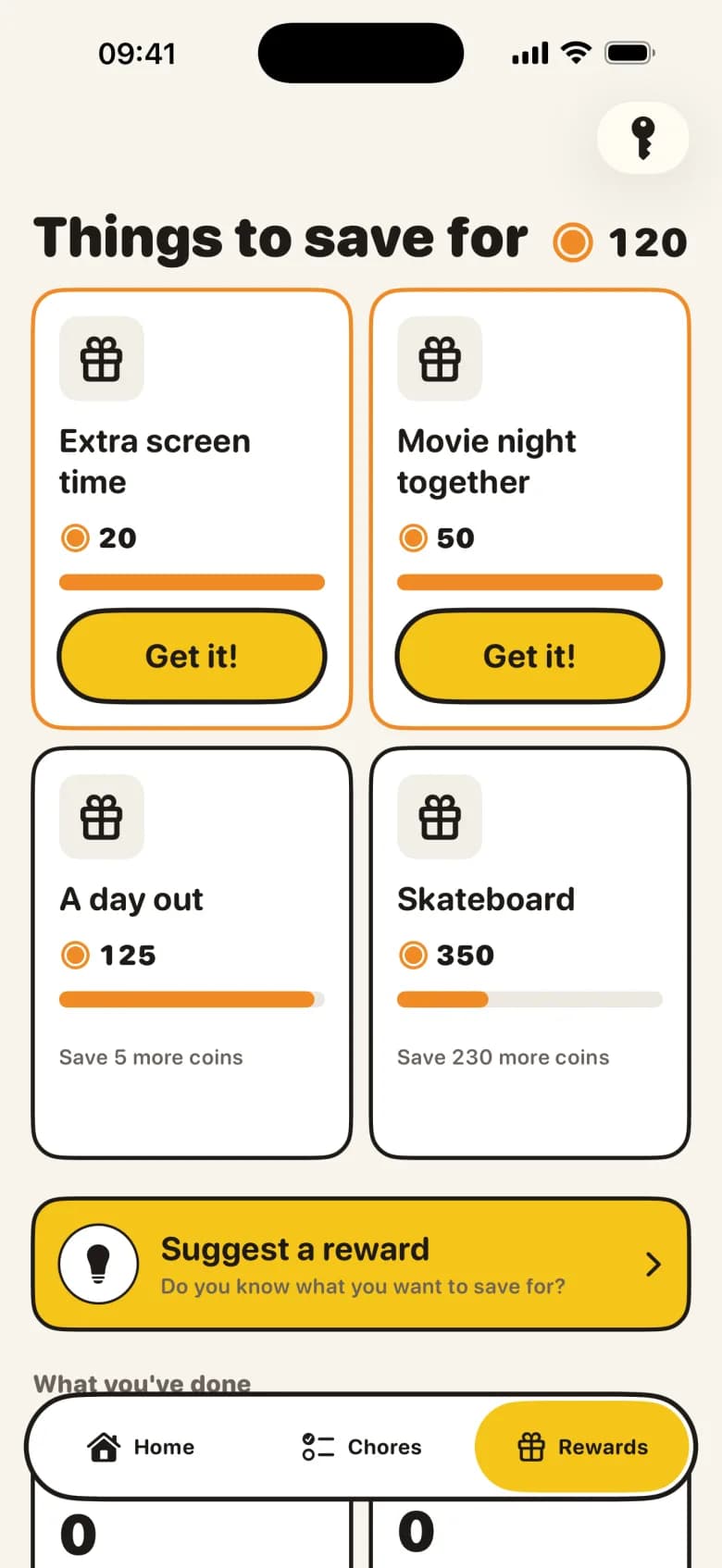
What are the two kinds of reward?
| Screen time | A real-life promise | |
|---|---|---|
| Example | Half an hour extra in the apps you choose | A movie night together, an ice cream, a day out |
| Who delivers it | The app: the chosen apps open, then lock again | You, when you agreed |
| What the app tracks | How many minutes are left | What was promised and whether it has been kept |
| Without Apple's Screen Time | Works as a voucher you manage yourself | Works the same |
How do you set up a family chore chart with rewards?
- 1
Decide what a coin is worth
Choose how many minutes of screen time one coin opens. Changing the rate later does not change existing balances.
- 2
Give each chore a number of coins
A small chore earns less than a big one, and your child sees the value of each mission on the mission board.
- 3
Set out the rewards
Extra screen time, a movie night, a day out: you decide how many coins each reward takes.
- 4
Let your child suggest one
With 'Suggest a reward' your child proposes something to save for. You decide whether it goes on the list.
Why is there no penalty for a missed day?
A reward system that also takes things away soon becomes a new argument: about what counts as not done, how much should be deducted and who is right. That is exactly the nagging the chart was meant to end.
So KlusQuest only adds. A chore that was not done in time expires and earns nothing. No coins are deducted, there is no streak to break, and there are no loot boxes or ads in the app. Tomorrow starts fresh.
How do two parents keep promises consistent?
Your child's device, yours and your co-parent's stay in sync. You both see the same rewards and promises, and either of you can approve a chore. One parent no longer says yes while the other hears about it later.
If a mission is waiting that your child has forgotten, you can send a gentle nudge at a time you choose.
What makes a reward work in the first week?
- Keep the first reward close — A reward within reach after three chores works better in week one than a big one that is a month away.
- Mix it up — Not every reward has to be screen time. Doing something together counts too.
- Keep your promises — A promise that is not kept costs more trust than it earned. The app shows what is still open.
Questions parents ask
Can my child save coins for something bigger?
Yes. The rewards screen shows, for each reward, how many more coins your child needs.
Does my child get coins without me doing anything?
No. Coins for a chore arrive only after you approve it. The daily minutes you set are the only screen time that costs no coins.
Can we use it without Apple's Screen Time?
Yes. Everything then works as a voucher: earned minutes become credit you manage and hand out yourself.
What happens if a chore isn't done?
It expires and nothing is taken away.
Related guides and tools
Spotted a mistake? Email support@klusquest.com and we will correct it.
Chores first, then screen time. You set the missions, approve with one tap, and the app says stop.